§ The Lab

Experiments

AI workflows tested against real production work, posted as they happen. Some work. Some break. All real.

workedseedance · higgsfield · storyboard · action

A man wakes up and fights a robot, revised four times in Seedance

Yesterday a man left his house and drove off. Today he wakes up, hears something tearing the city apart, and goes out to fight it. Same character, same world, pushed somewhere harder: a longer piece with an actual action beat instead of a calm walk to a car. The keeper is up top, the fifty two second golden hour cut. Everything below is the four versions it took, and the one thing I wanted to learn, which is whether Seedance can hold continuity and stage believable physical action across most of a minute, or whether it falls apart the way a long single take always does.

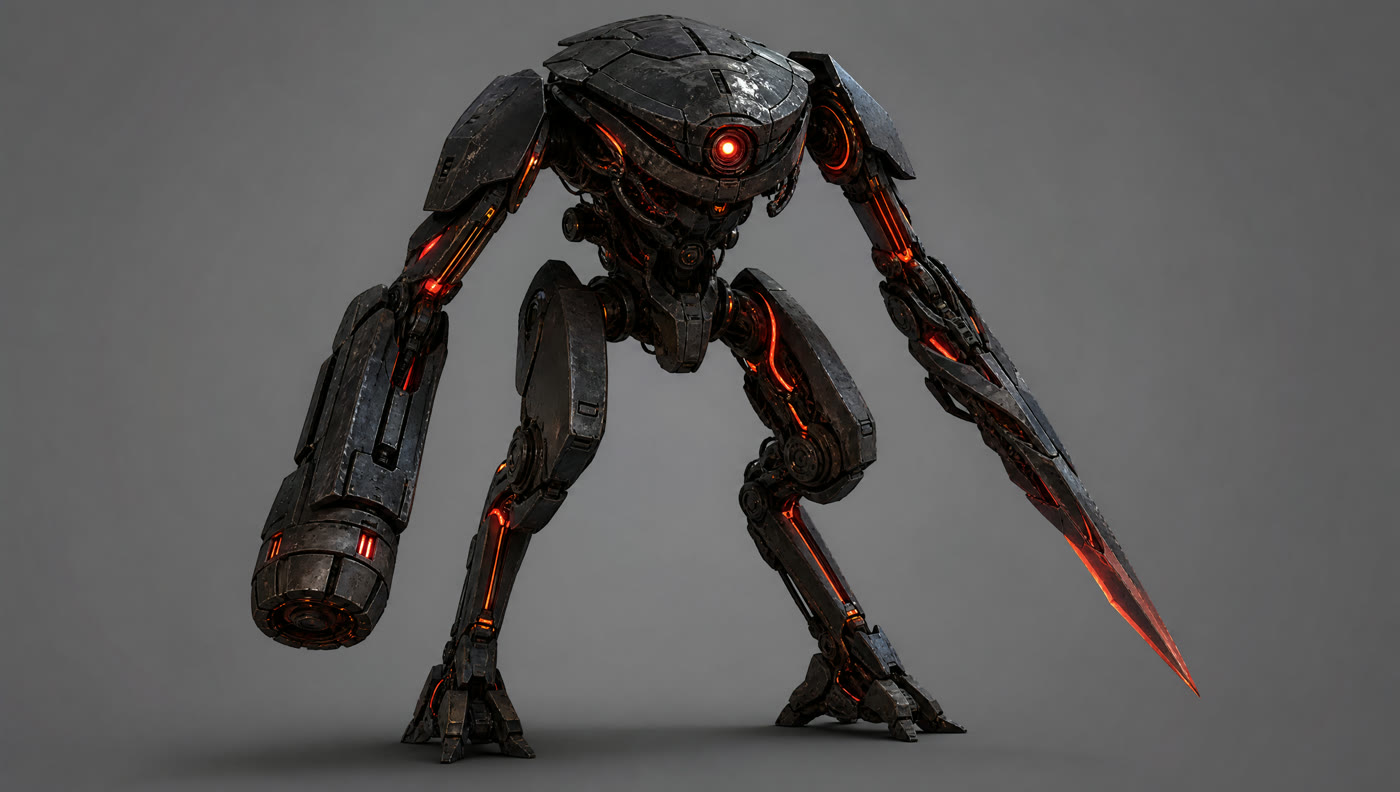
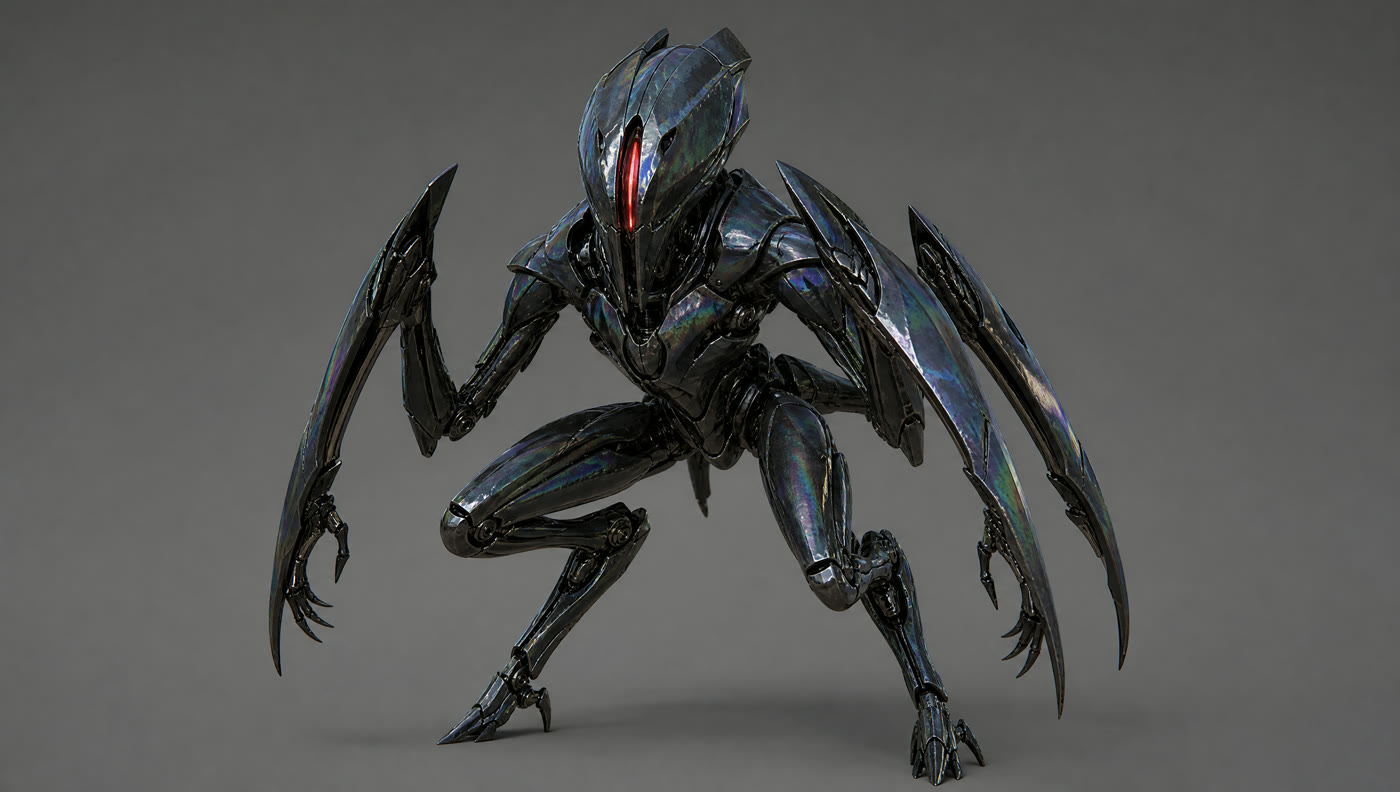
Before any of it, I built the antagonist. The man carries over as a locked character, so the new design work was the robot, and I explored three of them before committing. A tall blade armed humanoid, a heavy hunched bruiser, and a low insectoid thing on scythe legs. Clean turnarounds on neutral gray, same rule as always: never hand the engine a reference with scene lighting already baked in, or that lighting follows you into every shot.
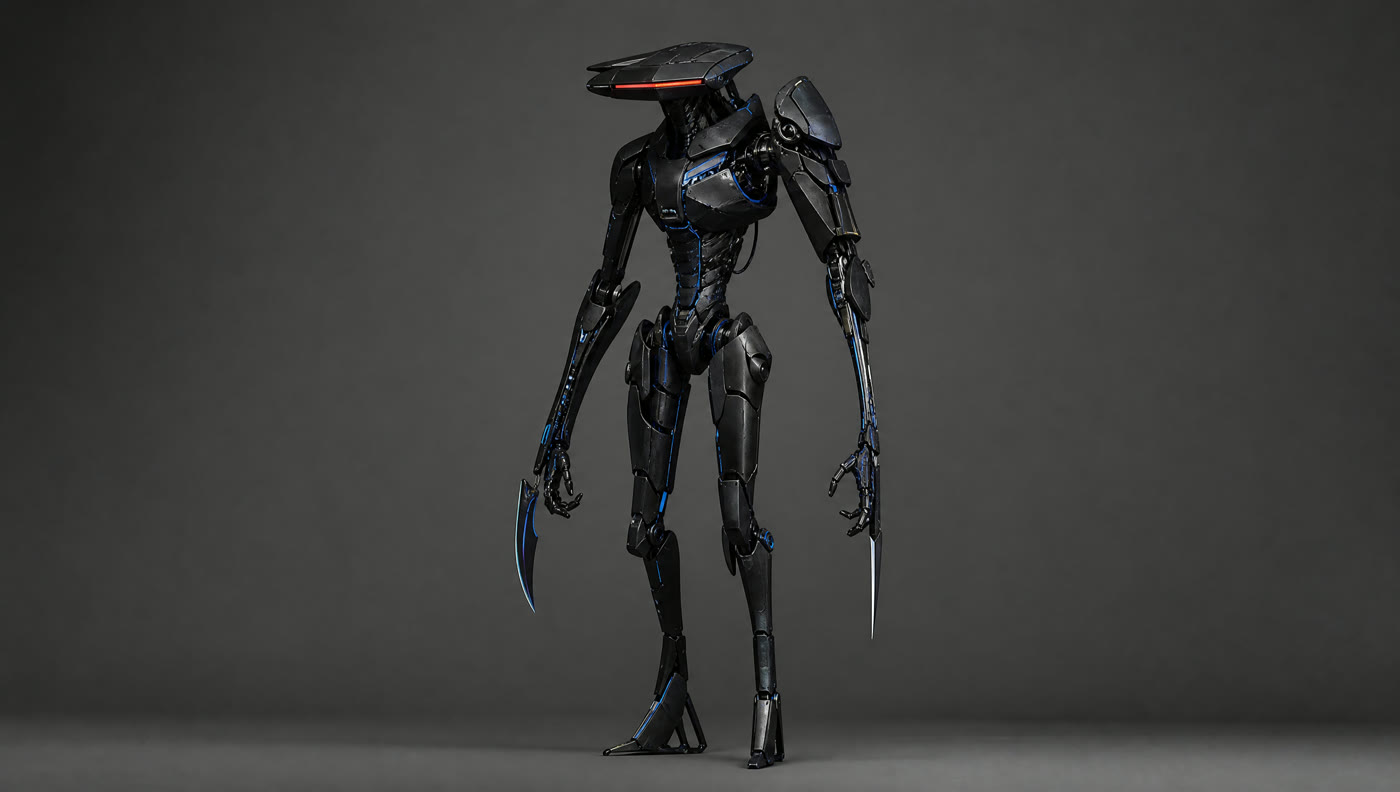
Robot design one, the blade armed humanoid. Slender, red visor slit, curved claws.
Robot design two, the heavy bruiser. Hunched and gorilla like, arm cannon, glowing orange joints.
Robot design three, the insectoid. Glossy black shell, single red slit, scythe limbs splayed low.

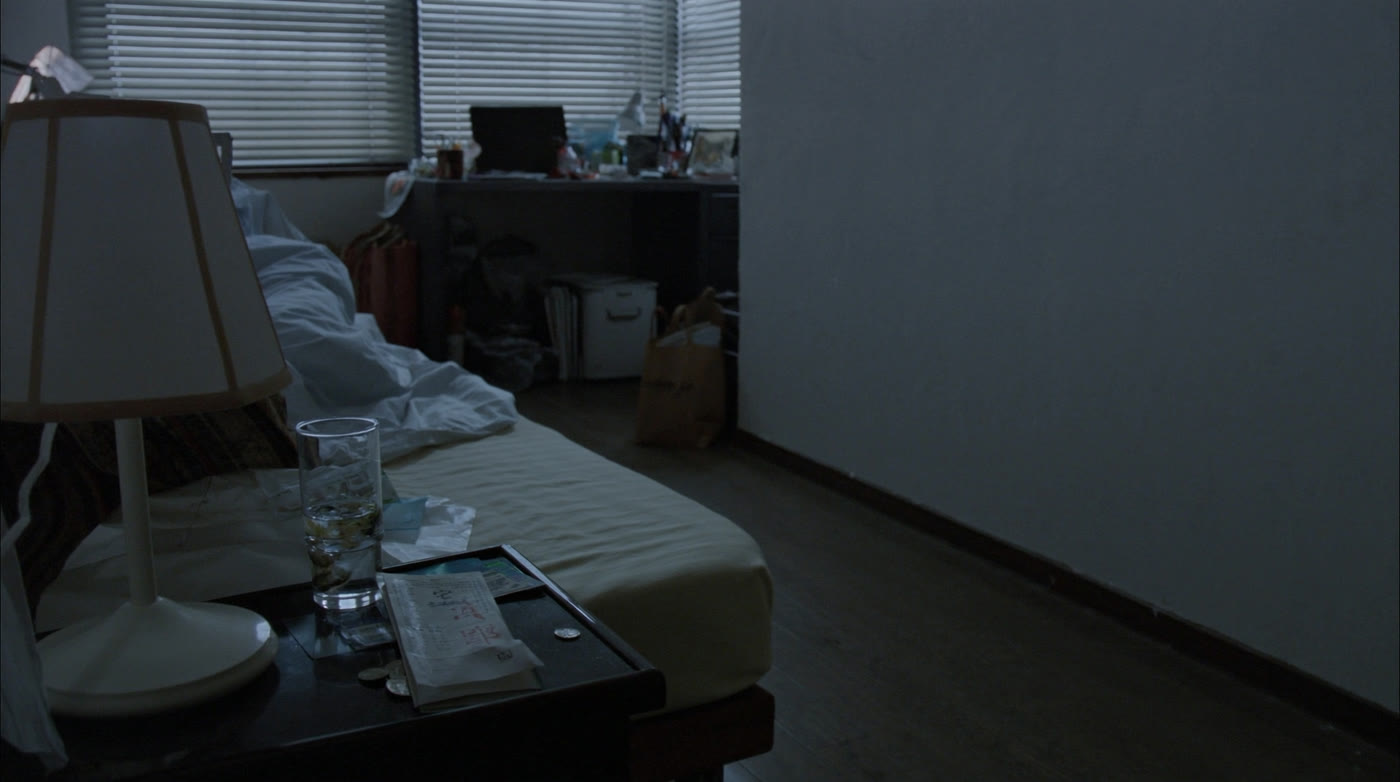
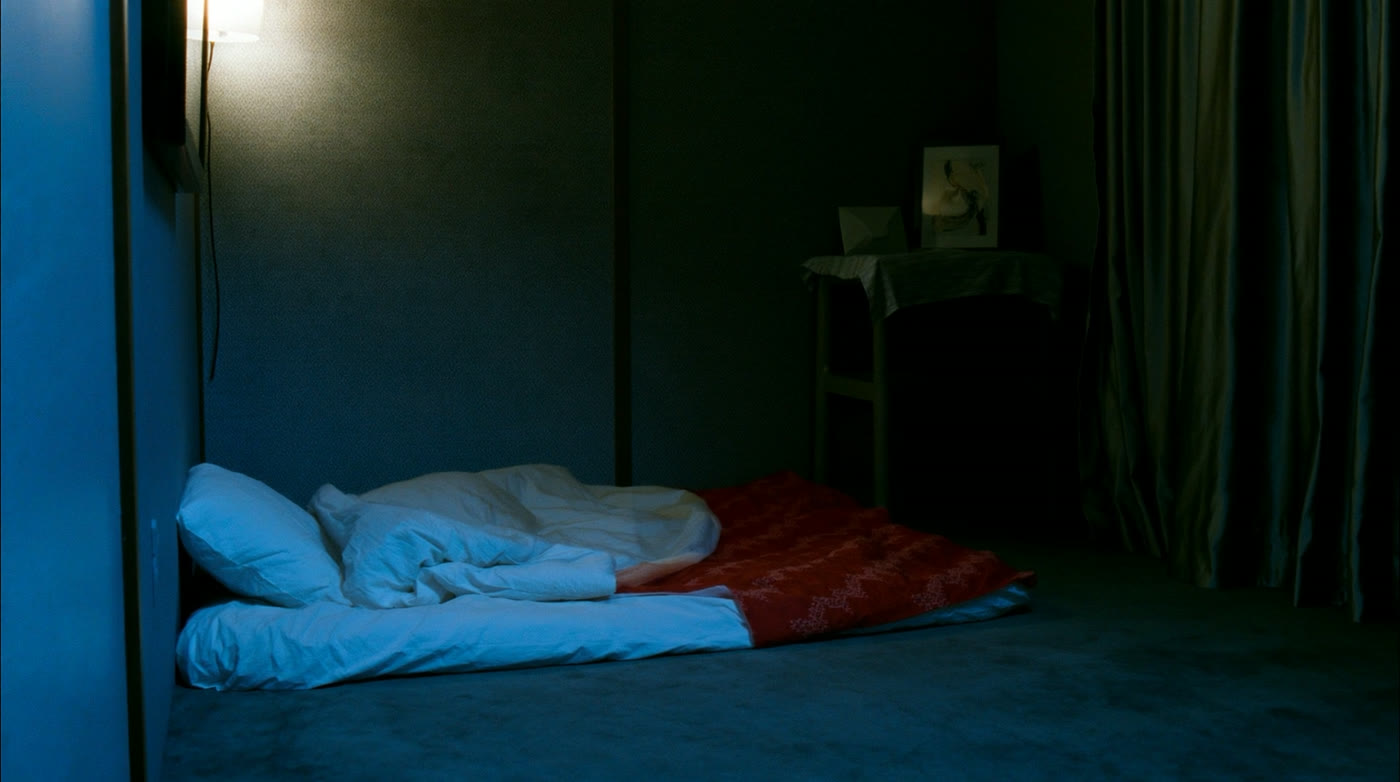
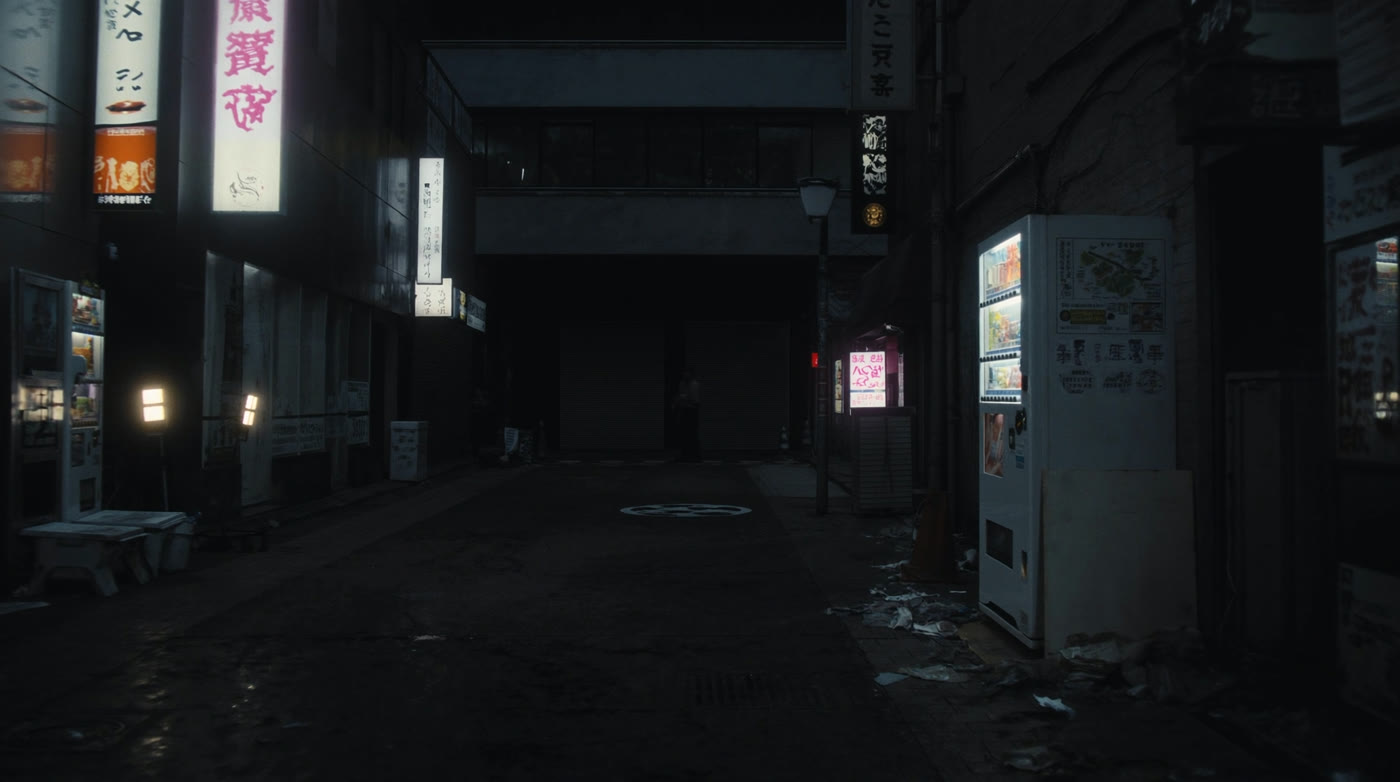
Then the world, built the same way. A small Japanese apartment for the wake up and a narrow alley of vending machines and kanji signage for the fight, drawn as neutral set sheets so the geometry is locked before any shot borrows it.

The apartment set. Futon on the floor, warm lamp, blinds, a photo on the side table.
The alley set. Vending machines and vertical signage down a wet, narrow street at night.

Version one was the fifteen second first pass, straight to the brief. He wakes, grabs money off the nightstand, walks out, meets the robot, turns into a robot himself, wins. It renders, but it is flat. There is no reason he fights, the camera just sits there, and the transformation reads as AI mush because nothing motivates it. A working shot is not a directed one.

Version one, fifteen seconds. It hits every beat in the brief and none of them mean anything yet.

Version two rewrote the why and stretched it to thirty. Now he wakes because he hears the thing, goes to the window, sees it crushing the street below, and that anger is the reason he suits up. I cut the money entirely, asked for handheld energy instead of a locked tripod, and staged the transformation as a macro on his hand that crawls up the arm into full armor. Better story. But pushing for motion and length is exactly what shakes new problems loose.

Version two, thirty seconds. The window, the anger, the hand up transformation. Story works, continuity starts to wander.

Because here is the tax on longer AI pieces: continuity drift. The thirty second cut had three bugs that a fifteen second one never gets long enough to show. The time of day jumped, sun in the sky as he ran, full night by the time he landed on the robot, and no, the fight did not take several hours. The room behind him changed between the wake shot and the window shot. And the stairwell door opened twice, which is nonsense. The engine will happily hand you noon and midnight in the same sequence if you do not nail it down.

A daytime version of the street. The engine offered this and full night in the same story, which is the whole continuity problem in one frame.

So the next pass fixed only continuity, nothing else. Every shot locked to night, the same room kept behind him at the window, the door opening exactly once. Same edit, just made honest.

The consistency lock. One time of day, one room, one door. The bugs from version two, removed.

Then version four art directed it, and that is the cut up top. I threw out the flat night and moved the whole thing to golden hour, low warm sun, because the diffusion and the flares I wanted actually read in that light. I added the shots that were missing: him peeking down through the blinds, a tight reaction on his face, a point of view drop to the street. And I re staged the fight so the physics hold, he circles off the line, ducks the swing, blocks with real weight, then lands one true punch, instead of the earlier version where he swung while facing the wrong way. Fifty two seconds, and it finally moves like something a person directed.

The lesson from yesterday still holds, small simple shots cut like real footage beat one long roll of the dice. This run added three more. Continuity is the price of length, so lock time of day and set dressing on purpose or the model drifts across the minute. Action needs real staging, a stance and a duck and a weighted block, or two robots just slide past each other. And golden hour plus handheld does most of the cinematic work for free. Next is the same move as last time: rebuild the keeper shot by shot at three to four seconds a clip, re roll the misses, and cut it like footage.

This one is the sequel to yesterday's two engine build, the man who left home. Same character, longer leash.

workedseedance · higgsfield · comfyui · storyboard

A man leaves home, built two ways in Seedance

The brief was simple: a fifteen second spec ad where a man walks out of his house, gets in his car, and drives off. I gave myself one day to build it two ways, in two different AI engines, and to learn the thing I actually cared about, which is how you direct AI video instead of just rolling the dice on it. The two finished cuts are above: first Higgsfield driving Seedance 2.0, then ComfyUI driving Seedance 2.0. Everything below is how they were made, and every version it took to get there.

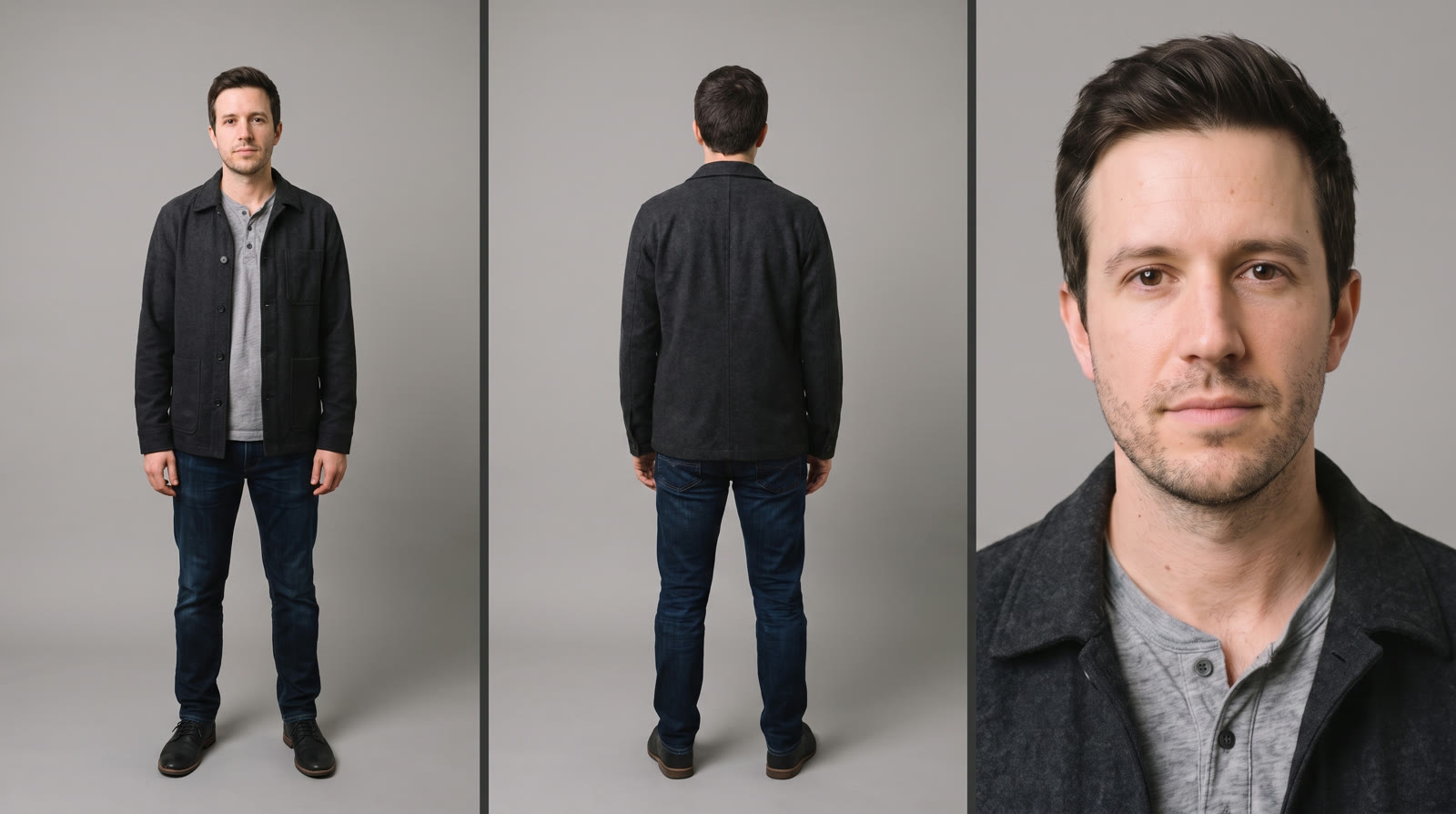
Before either engine could render a frame, I built the cast. Nathan is the character, made from scratch as a clean three panel sheet, front, back, and face, shot flat on neutral gray. The car is a legally distinct rugged SUV, redrawn after a first pass drifted into a recognizable real brand. The world is a golden hour suburban street. The rule I kept all day: feed the engine clean neutral references, never a frame with scene lighting already baked in, or that lighting follows you into every shot.
@Nathan, built as a clean neutral three panel reference so no scene lighting bakes in.

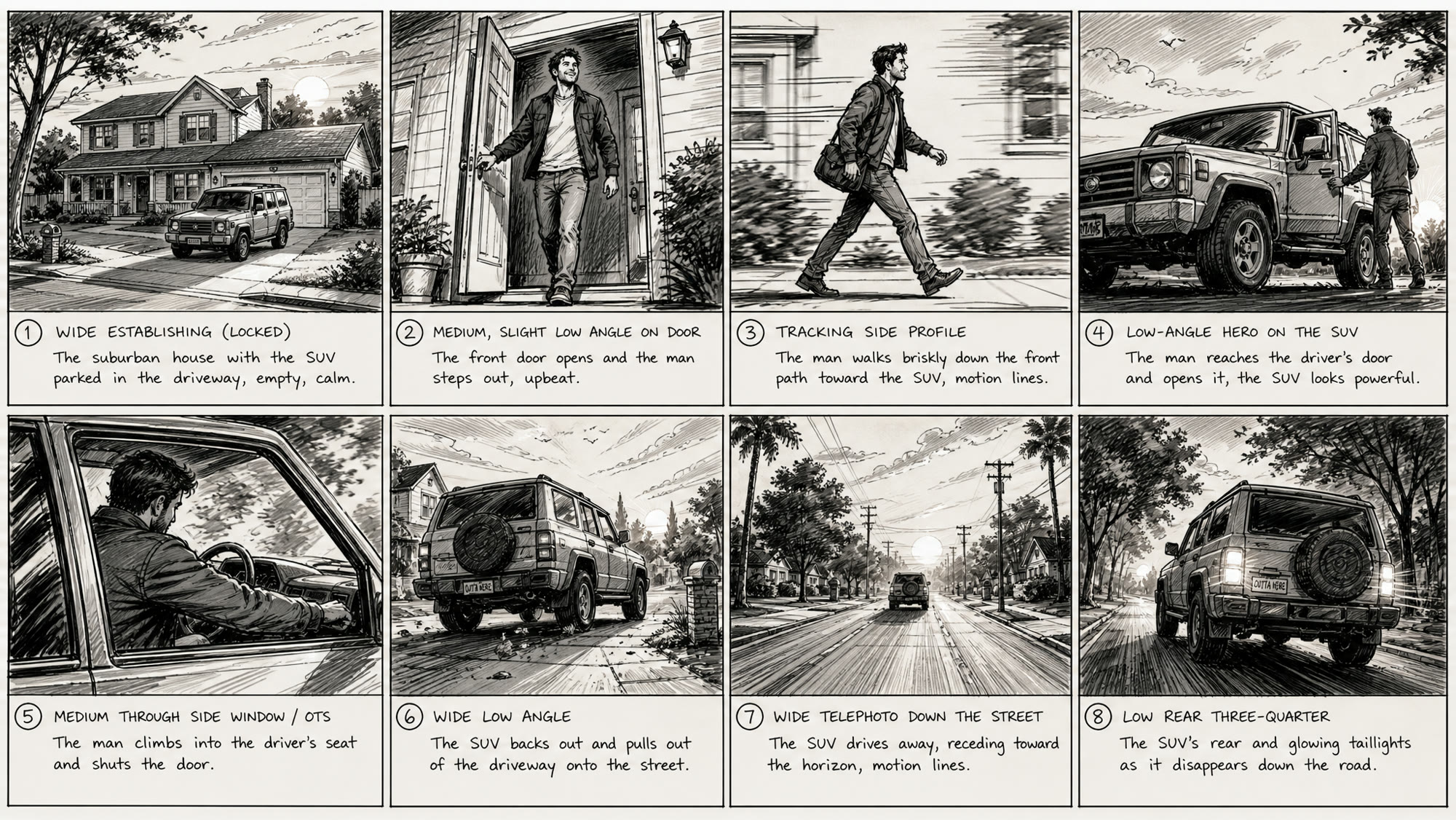
Then I drew the plan. Eight panels, one per shot, from the wide establishing on the house to the taillights vanishing down the street. It looks rough on purpose.

The eight panel previs, one panel per shot. Rough by design, so the engine reads it as blocking and not final look.

The biggest lesson of the day hides in that sketch. A storyboard does not reproduce itself. Seedance follows whatever you hand it as the primary reference, so if you make the character the primary image, it ignores your board and improvises. The move that works, straight from the official template, is to make the storyboard the primary image and the character the secondary one, then let an LLM write the shot progression from there. And the board has to stay a rough sketch. Because it is obviously not final, the engine treats it as blocking only and does not drag its pencil look into the render.

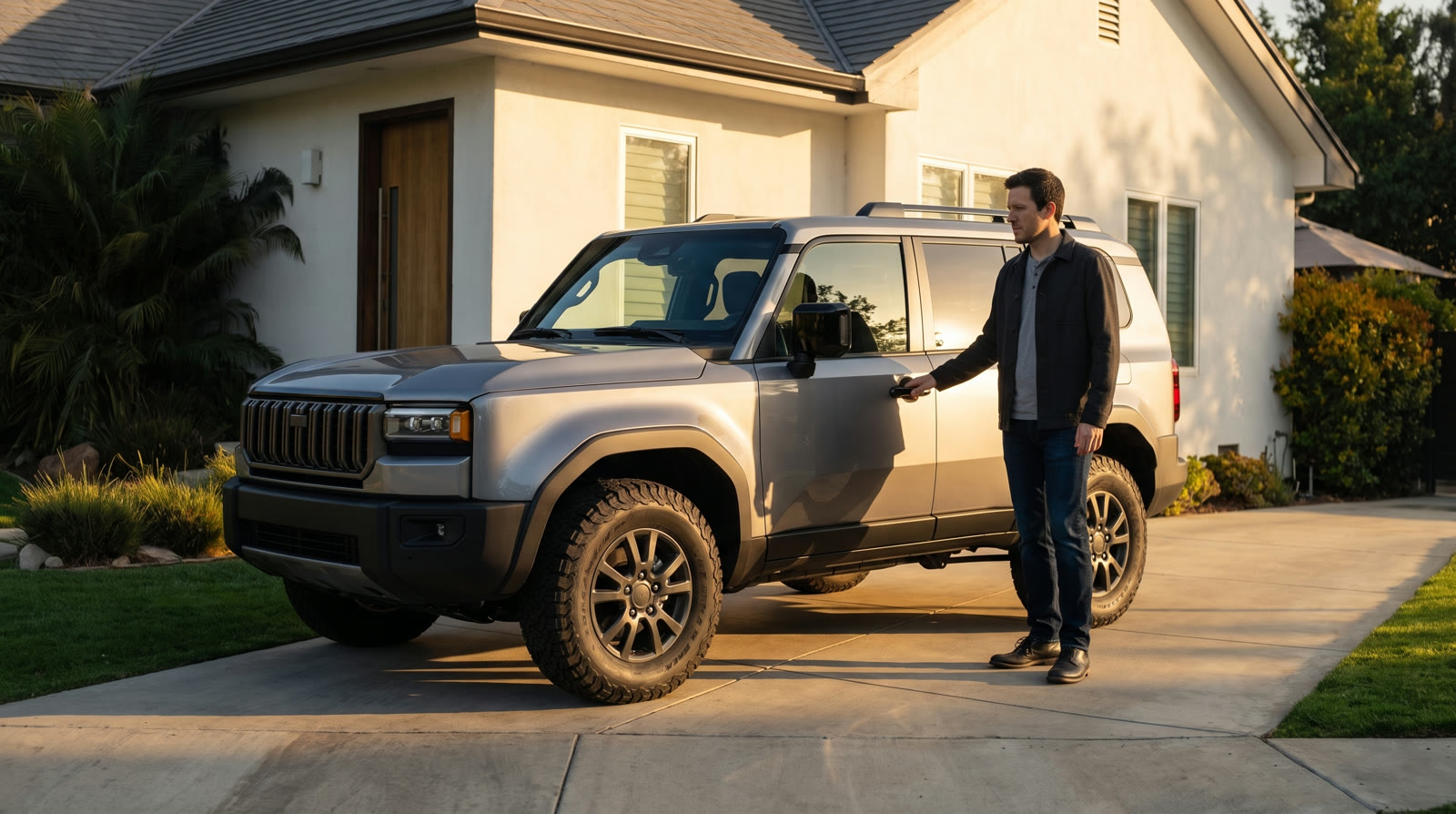
On the Higgsfield side I locked continuity with keyframes, still frames that turn each panel into a composed, photoreal shot before any motion is generated. This is where the character lock is tightest. Same face as the sheet, same SUV, real golden hour on the driveway.

A continuity keyframe. The sketch, rendered. Same face as the character sheet, locked for the shot.

The first Higgsfield cut broke, and the break taught me the most. I pinned a mismatched start and end frame to each beat and ran a traveling camera, so instead of animating, Seedance morphed between the two compositions and the house visibly warped as the camera moved, because a moving camera re-hallucinates the geometry on every frame.

Higgsfield v1, the version that broke. Mismatched start and end keyframes plus a moving camera, so it morphs and the house deforms.

The fix was discipline, not a better prompt. Lock the camera, one action per shot, keep each clip to three to five seconds, and cut many simple shots together. The energy comes from the edit and the subject, not from a wandering camera. Here are the three locked shots that cut into the Higgsfield version up top.

Higgsfield v2, shot one. Locked wide, the walk from the front door out to the driveway.
Higgsfield v2, shot two. Static hero on the SUV as he opens the door and climbs in.
Higgsfield v2, shot three. The SUV backs out and drives off down the street.

The ComfyUI version took the opposite bet. I reused only Nathan and invented the street and the car fresh in the prompt, driving the whole thing from a black and white previs storyboard the way the official template intends. As one continuous generation it gives a fresher world and more varied coverage, but it drifts: door swings that do not match, the occasional day to night jump, physics that wander. It took three passes to reach the keeper up top. The first two are here.

ComfyUI v1, the first storyboard pass. It reads the board, but continuity and physics wander across the single long take.
ComfyUI v2, the second pass. Tighter, still drifting through the driveway to street handoff.

I also tried the per shot method inside ComfyUI, rendering single beats short and clean instead of one long take. Same lesson as Higgsfield: small simple shots hold together where a long one falls apart.

ComfyUI, single beat: the door.
ComfyUI, single beat: the hero on the SUV.
ComfyUI, single beat: the drive off.

So the method is proven, not finished. The workflow that holds up is clear now: storyboard as the primary image, character as the secondary one, and render each shot short and simple, then cut it like real footage. Next is to rebuild the whole spot as per shot three to four second clips, re-roll the misses, edit them together, and upscale the keepers through Topaz. One honest day, two engines, every version kept, and a repeatable way to direct the machine instead of hoping.

workedseedance · storyboard · comfyui · topaz

A storyboard-to-video gallop, then cutting it like footage

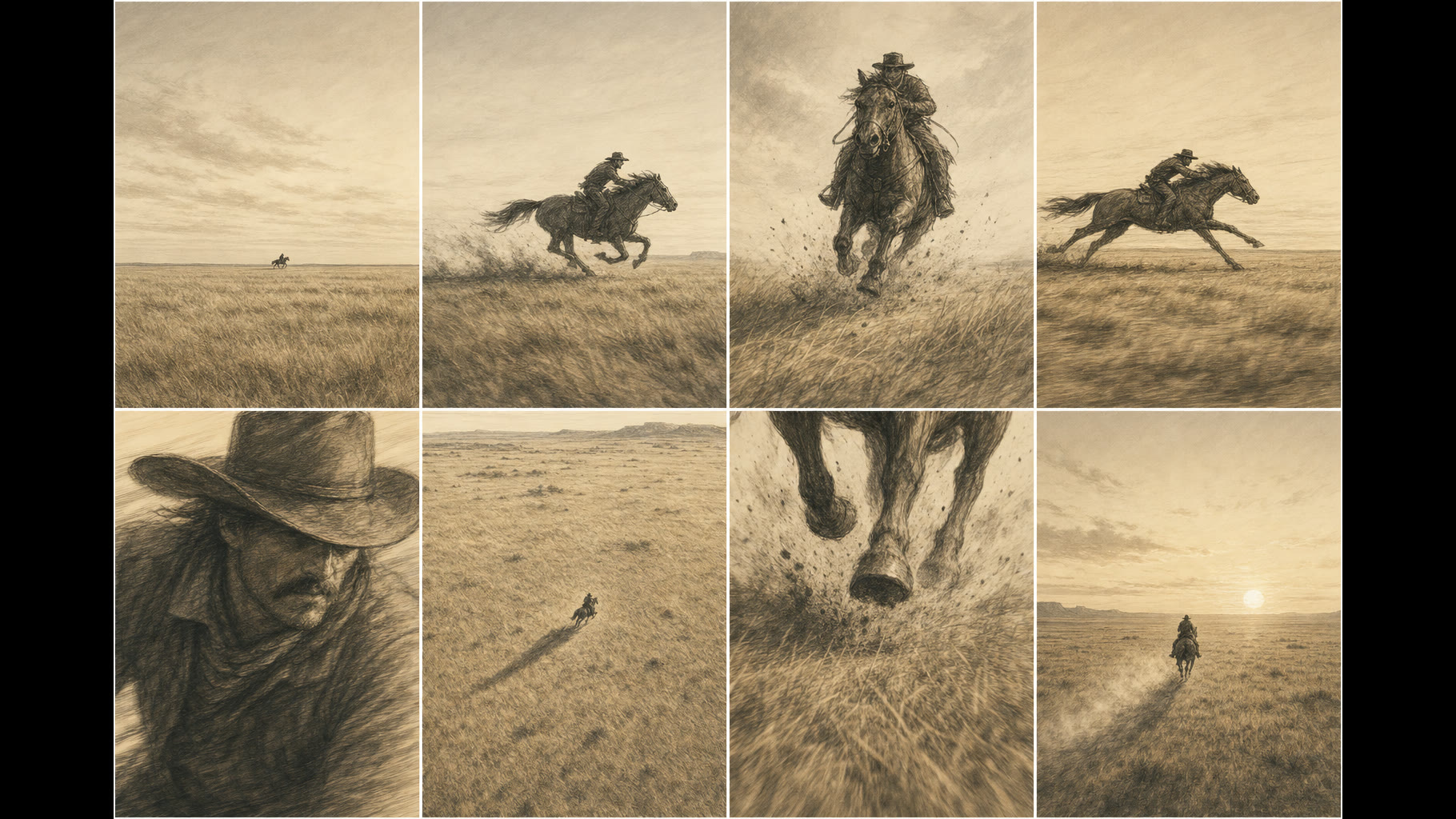
Another storyboard-to-video test with Seedance 2.0. I gave it one photo of a rider on his horse as the character reference and a text-free eight-panel storyboard for the composition, then let Seedance carry the gallop physics and the generated audio. The goal was one continuous golden-hour ride across open grassland, cut across eight angles, with a real four-beat gait and the suspension phase where all four hooves leave the ground.

The text-free storyboard, one panel per shot.

Then I edited it like real footage. One shot recreated the reference photo too literally and did not belong, so I cut it. Pulling it exposed a screen-direction problem underneath: the horse ran left in one shot and right in the next, which reads as jarring. I mirrored the hero gallop so the whole ride travels one direction, then finished at 1080p through the Topaz API.

workedseedance · storyboard · comfyui · topaz

Storyboard to video, and beating a copyright filter

A test of Seedance's storyboard-to-video path. No previz this time, just an eight-panel stick-figure storyboard and a character reference. The story: a man gardening takes a call, suits up, and launches out of his backyard. It also has generated audio, and it is upscaled to 4K with Topaz.

The interesting part was the fight. Seedance's copyright filter kept rejecting the man-becomes-machine transformation no matter how I redesigned the suit. The fix was to stop showing it the whole arc in one clip. I rendered the setup and the takeoff as two separate videos, neither of which trips the filter on its own, and cut them together so the hard cut carries the transformation.

The second clip is the first attempt, before that fix. The suit read too close to a game character, and a stray label from the storyboard leaked into the frame.

workedblender · seedance · comfyui · topaz

Turning a Blender previz into a Seedance car shot

I wanted to see whether a rough Blender viewport animation could steer the camera in an AI-generated shot. I rendered a previz of a man getting into a car and driving off, made a photoreal golden-hour start frame of a white Toyota bZ4X with Nano Banana, then fed the start frame and the previz into Seedance 2.0.

The camera followed my previz. The human and vehicle physics, meaning the walk, sitting in, the wheels spinning and the drive-off, were all Seedance. The lesson: it will not lock to the previz camera exactly, so the real control lives in the prompt with the previz riding along as a motion reference. Finished at 4K through the Topaz API.

The second clip is the raw Blender viewport previz the shot was built from.

shippedclaude-code · nextjs · agents

This site's grid and lightbox, built by an agent team

Rebuilt this homepage as a work grid with a modal lightbox — one model wrote the spec and the components, cheaper models wired and verified them, and I art-directed. The interesting part wasn't the code; it was writing the brief tightly enough that the first pass was usable.

Hands-on-keyboard time: about an hour. The rest was direction.

shippedhoudini · karma-xpu · lighting

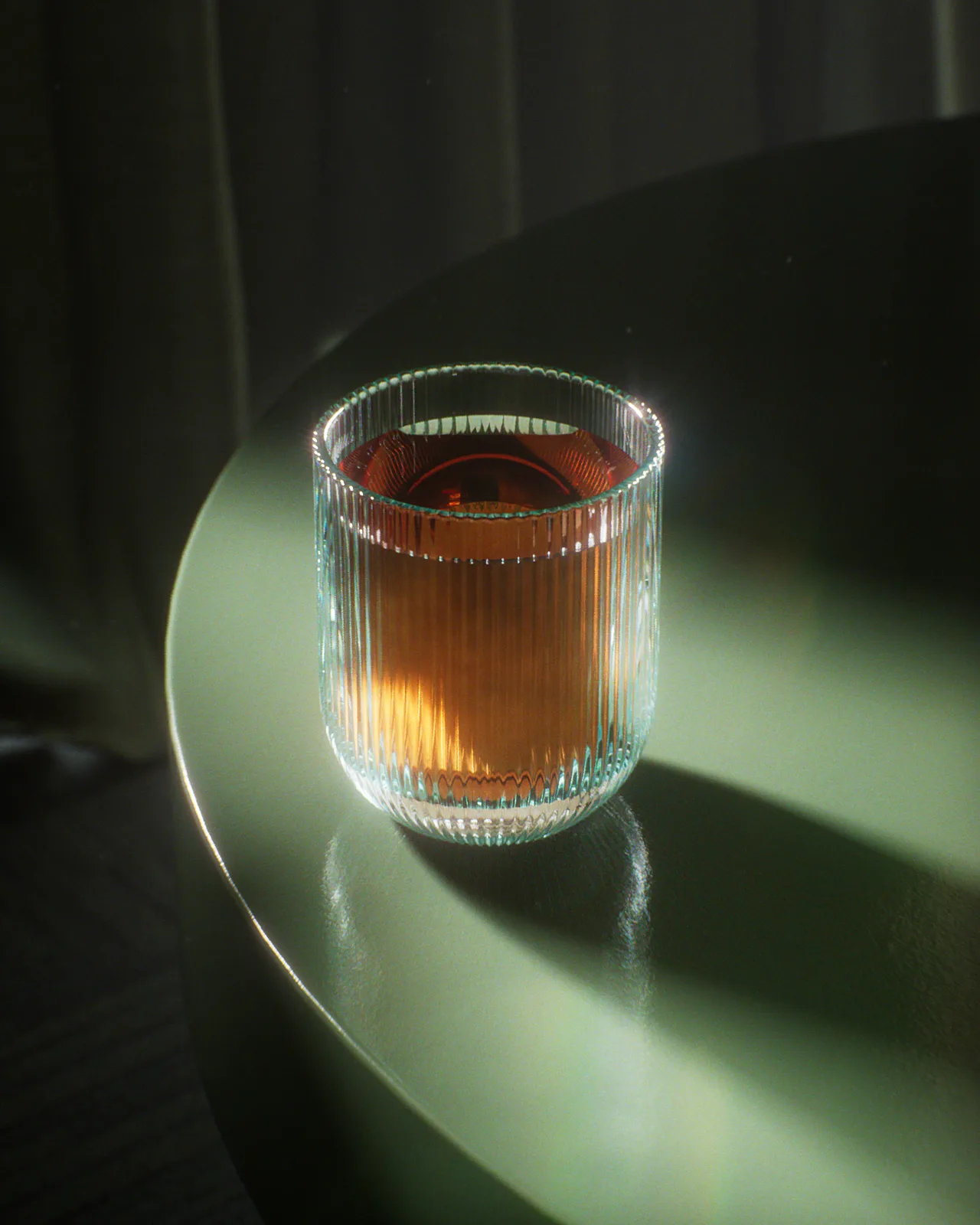
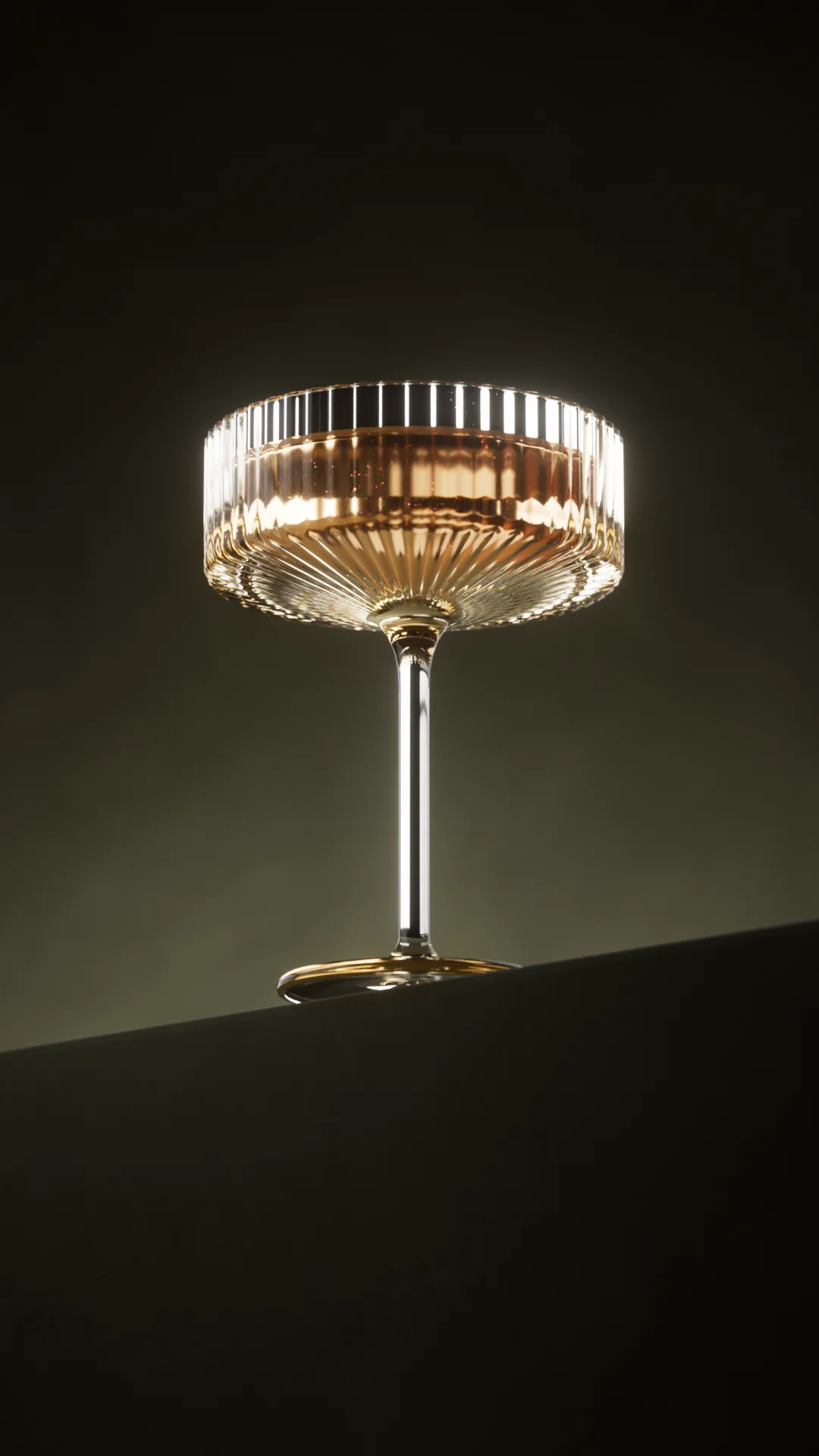
Whiskey glass — a moody beverage lighting study

Whiskey glass — a moody beverage lighting study — 1 of 3

A beverage lighting study in Houdini, rendered with Karma XPU. The goal was rich glass and liquid under dramatic, warm light — a single hard source raking the ribbed tumbler so the whiskey glows from inside while the room falls off to green-black.

Most of the time went into the liquid-to-glass interface: nested dielectrics and where the meniscus meets the rim. The refraction there is still not perfect if you zoom in — a denser mesh at the contact line is the fix. Good enough to ship into the product-studies set.

workedhoudini · nuke · karma-xpu · matchmove

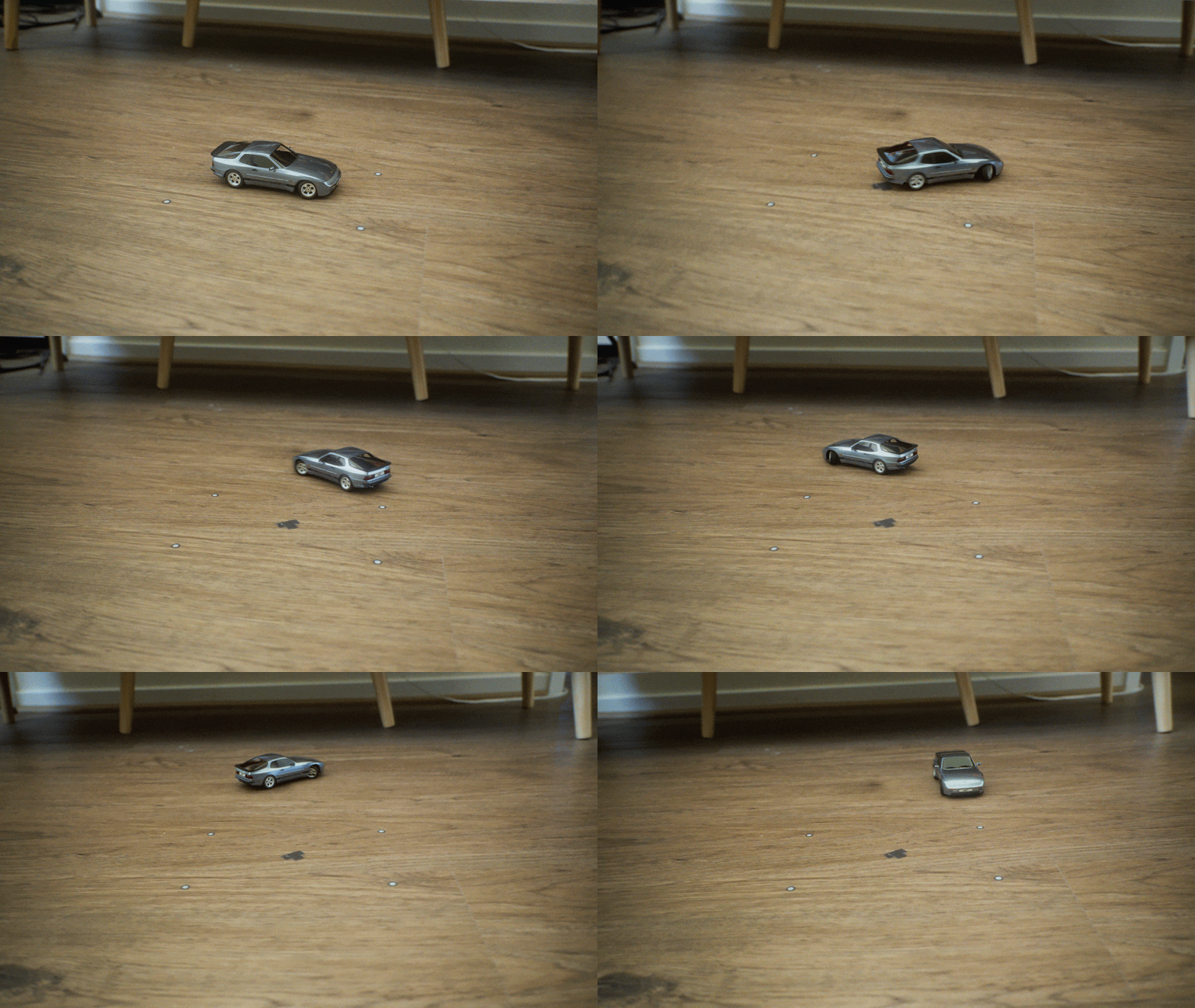
CGI car tracked into live footage

CGI car tracked into live footage

A full CG car tracked and composited into real-world footage as a compositing exercise. The work was in the match move, the color match, and blending the render with the live-action plate until the virtual car sits naturally in the scene.

workedhoudini · karma-xpu · fx

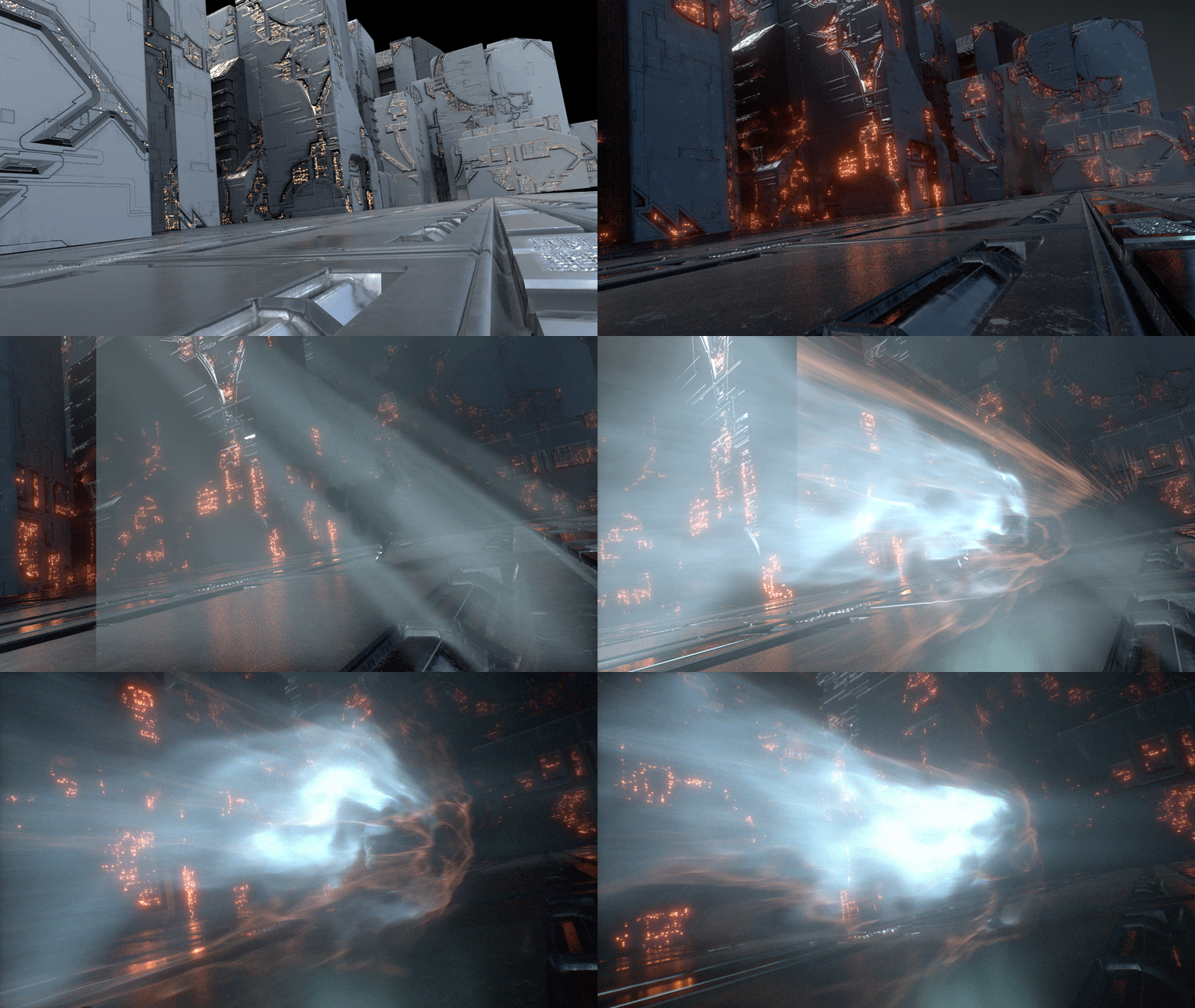
Anime FX run cycle

Anime FX run cycle

A stylized anime-inspired FX run cycle — procedural Houdini simulations with hand-crafted timing. The point was learning simulation-based techniques and folding dynamic FX elements into rendered character animation.

workednuke · blender · keying

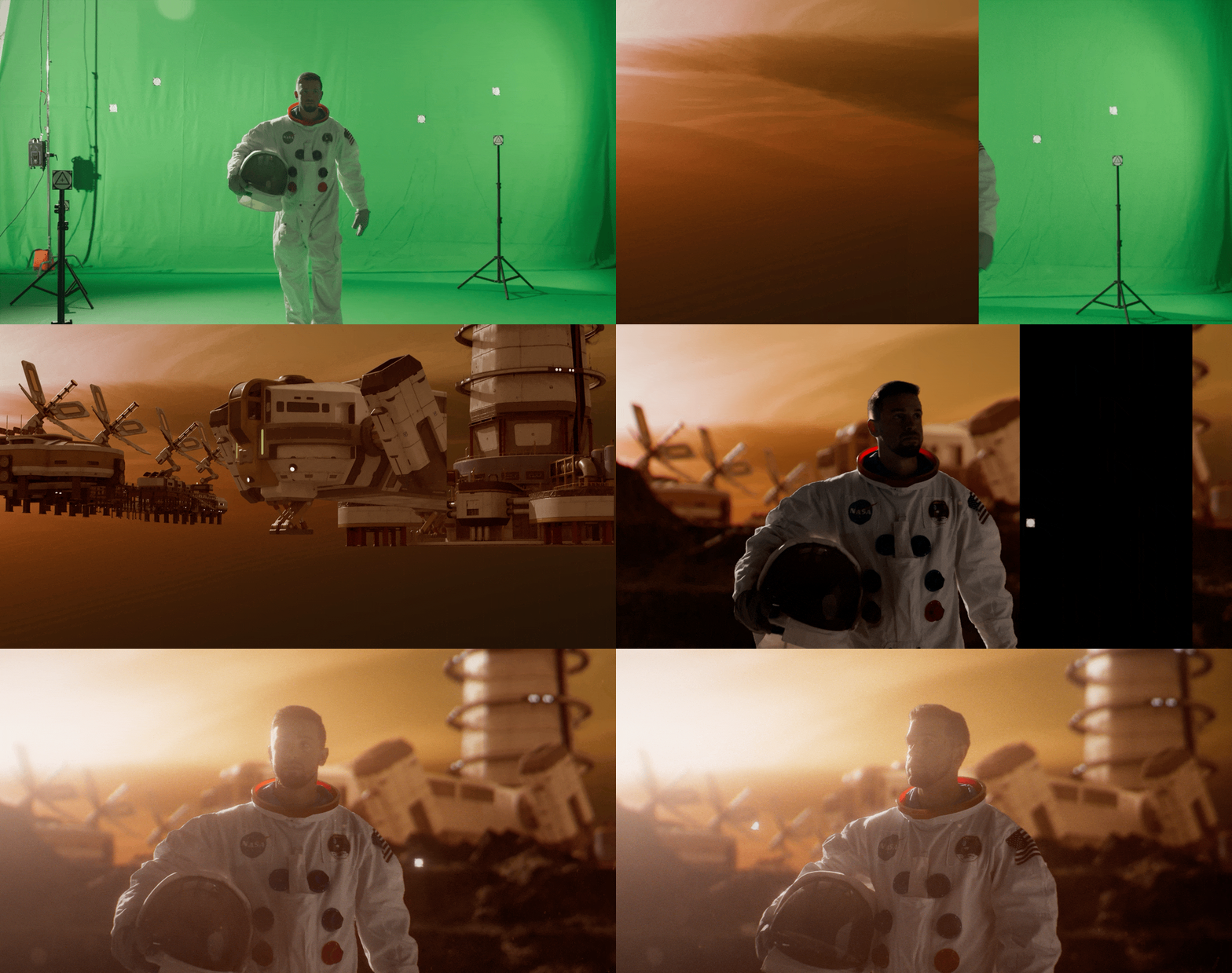
Green screen key + full environment replacement

Green screen key + full environment replacement

A green screen key and full environment replacement composited in Nuke. The environment behind the astronaut was built in Blender and rendered with Cycles, then matched for lighting, color, and depth against the keyed footage to sell the final shot.